

API access is an advanced feature that is not enabled by default. If you are interested in using the API, please contact our support team at support@omnifact.ai to have it activated for your organization.
Enabling and Disabling API Access
Once the feature is activated for your team, you can enable or disable API access at any time using the “Enable API Access” toggle.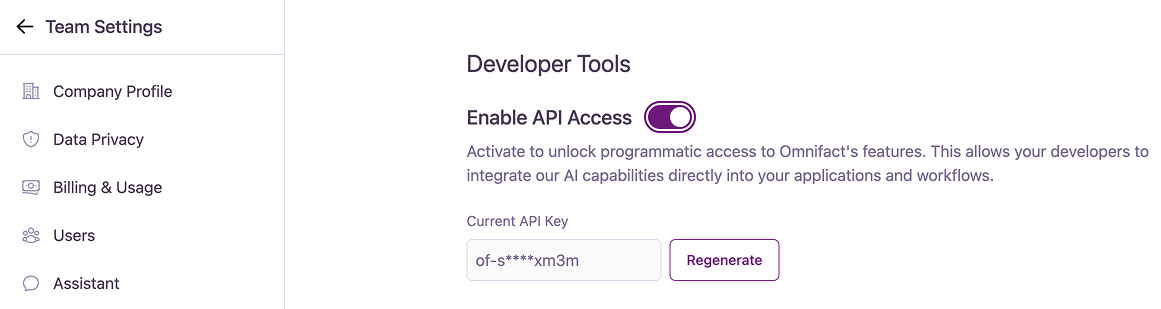
Managing Your API Key
When API access is enabled, the system generates a unique API key for your team.Viewing and Regenerating Your Key
Viewing and Regenerating Your Key
The Current API Key is partially masked for security. If you need to generate a new key for any reason (e.g., if the old one is compromised or lost), click the “Regenerate” button.
Saving Your New API Key
Saving Your New API Key
When you regenerate your key, a dialog will display “Your New API Key”.