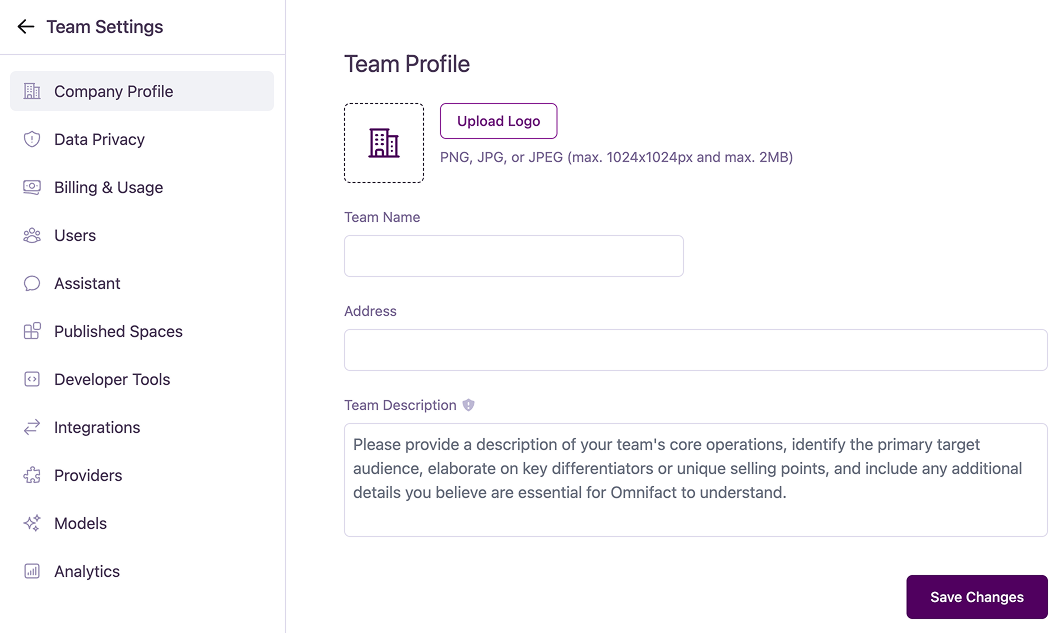
Skip to main contentThe Company Profile section allows team admins to manage the core identity of their organization within Omnifact. This information helps personalize the workspace and provide essential context to the AI.
Configuration Options
Company Logo
Upload a company logo to be displayed within the platform.
- Formats: PNG, JPG, or JPEG
- Maximum size: 2MB
- Maximum dimensions: 1024x1024 pixels
Team Name
Set the name for your team. This name is displayed throughout the platform to identify your organization’s workspace.
Address (Optional)
You can provide a physical address for your company. Including your address is useful because the AI can automatically use this information in communications or generated content—similar to how your name, phone number, or email address can be injected into messages.
Team Description
Add a description of your team’s core operations to provide essential context for Omnifact. This is crucial for helping the AI understand your business.
The description should include:
- Your team’s core operations
- The primary target audience
- Key differentiators or unique selling points
- Any other details essential for the AI to understand your business context
Saving Changes
Click the “Save Changes” button to apply your updates after making any changes.