

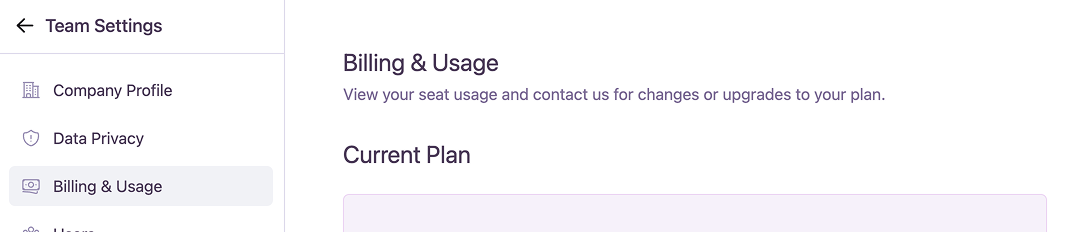
Understanding Your Current Plan
The Plan Card at the top of the page provides a snapshot of your team’s subscription status. This card is dynamic and will update to display relevant information and actions based on your plan. Every card shows:- Your plan status
- The number of users you are paying for
- A button to Manage Team Members
Standard Plan Statuses
- Free Trial
- Pro Plan (Annual)
- Pro Plan (Monthly)
- Enterprise Plan
During your free trial, this section shows the remaining days and provides an option to upgrade to a paid plan.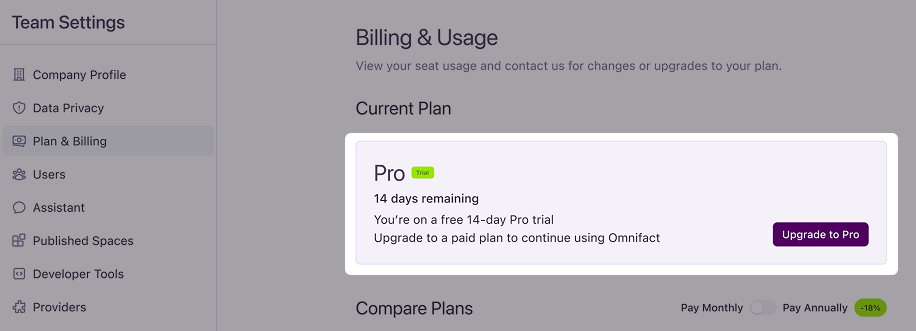
Alerts & Expired Statuses
- Trial Ending
- Trial Ended
- Subscription Ended
- Payment Failed
- Subscription Expired (Unpaid)
When your free trial is about to expire, a “Trial Ending Soon” notice will appear, prompting you to upgrade.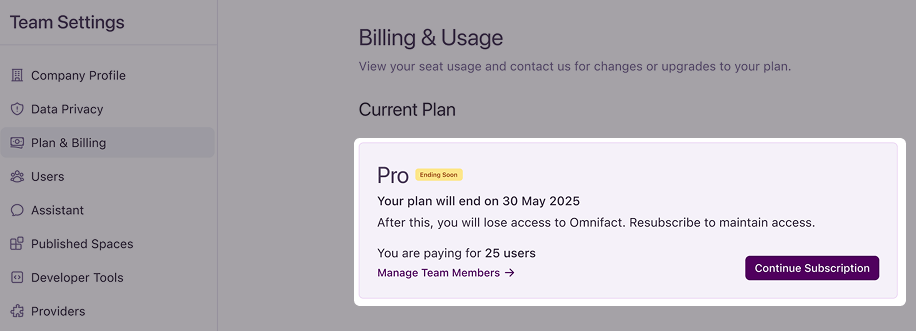
Monthly Usage Credit
The Monthly Usage Credit section provides a real-time view of your team’s AI credit consumption for the current billing period. This helps you track costs and usage alongside your Team Analytics.For our custom enterprise plan customers, you can continue to see your total credits used. We’re working to bring the same detailed, real-time dashboard to you soon.

- Usage Meter: A progress bar shows how much of your monthly credit has been used. The total credit is calculated based on the number of users in your plan (e.g., 25 users × 125/month).
- Usage Forecast: A projection estimates when you might run out of credits based on current usage patterns.
- Add More Credits: If you are running low, you can click here to contact the Omnifact team to discuss your options for purchasing additional credits.
Billing History
This section provides a historical record of your past billing statements.- Statement Period: Lists previous billing cycles.
- Used Credit Amount: Shows the total credit amount used for each period.
Plan Management
When you click “Change Plan”, you can review and switch between different pricing plans. This will open the Plan Management modal, where you can compare the features and pricing of each plan and choose the one that best suits your team’s needs.
Pro Plan
- Per-user monthly or annual billing
- Includes usage credits for leading AI models
- Supports up to 50 users per team
- Up to 5,000 pages for Spaces
Enterprise Plan
- Custom pricing and flexible terms
- Includes all features of the Pro plan
- Bring Your Own API Key (BYOK)
- Advanced Analytics & Insights
- API access to Omnifact Spaces
- Custom Service Level Agreements (SLAs)
- Single Sign-On (SSO)
- Cloud or on-premise deployment options
- Dedicated Account Manager
View Full Plan Comparison
Visit our pricing page for a detailed breakdown of all plan features.